Happy Little Clicks Happy Little Clicks
Three shots. One classic strip. Set it up in under two minutes, hand it to your guests, and print or share instantly — right from your phone or iPad. Great for kids' birthday parties, family gatherings, or any celebration.
🎉 Available now on the App Store & Google Play — free to use, no ads. Unlock Pro to remove the watermark.
Snap, customise, print — and keep every strip, all on your device.
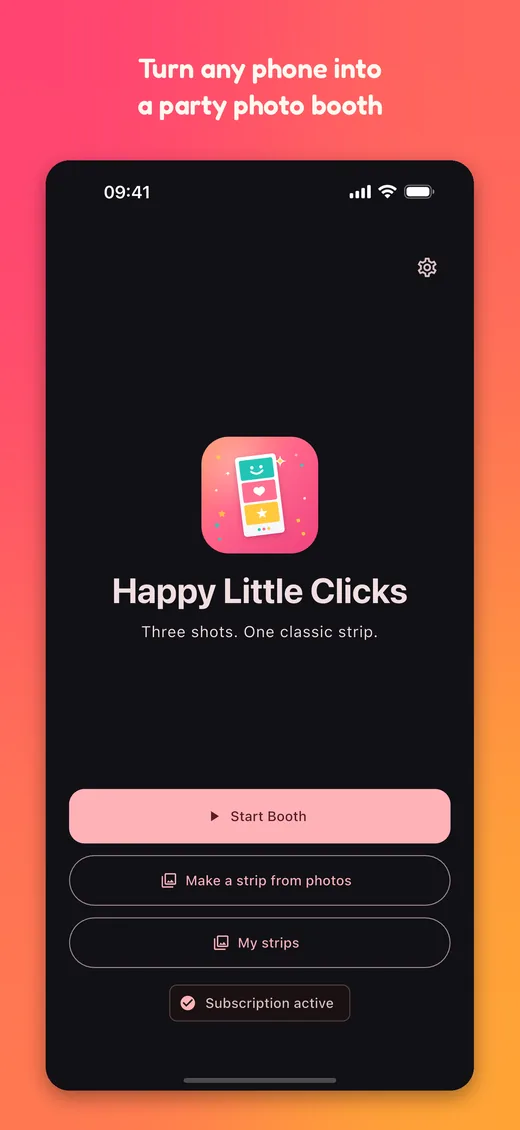
No professional gear, no complicated software. A parent can have the booth running before the cake comes out.
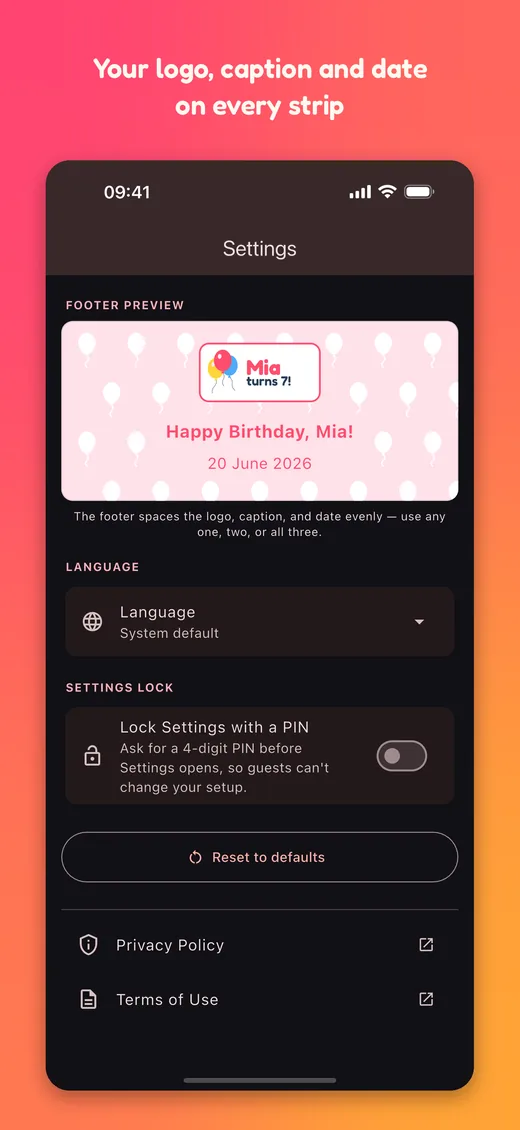
Add your event caption and logo, pick colours and a fun pattern, turn on the date — then lock Settings with a PIN so guests can't change it.
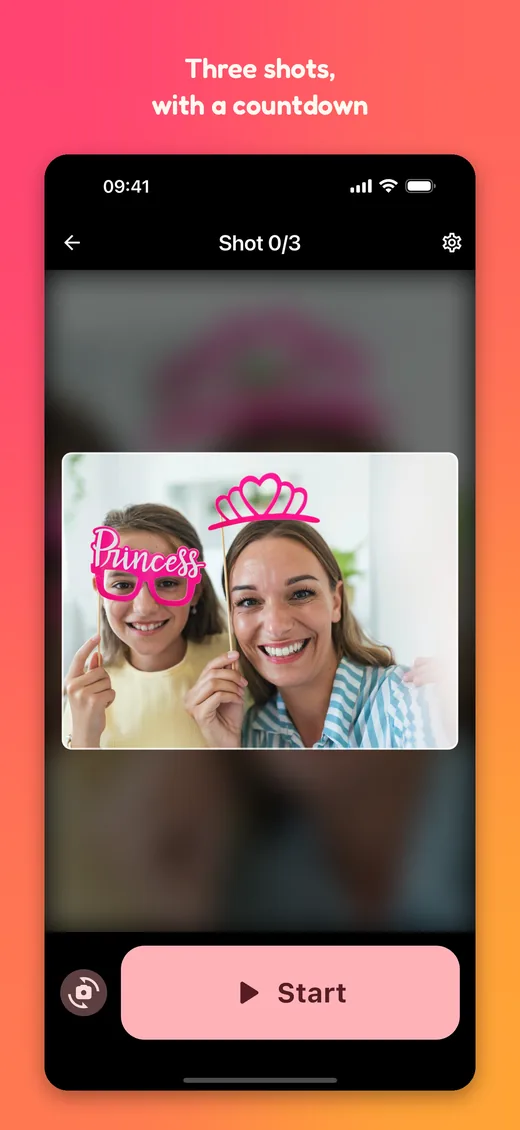
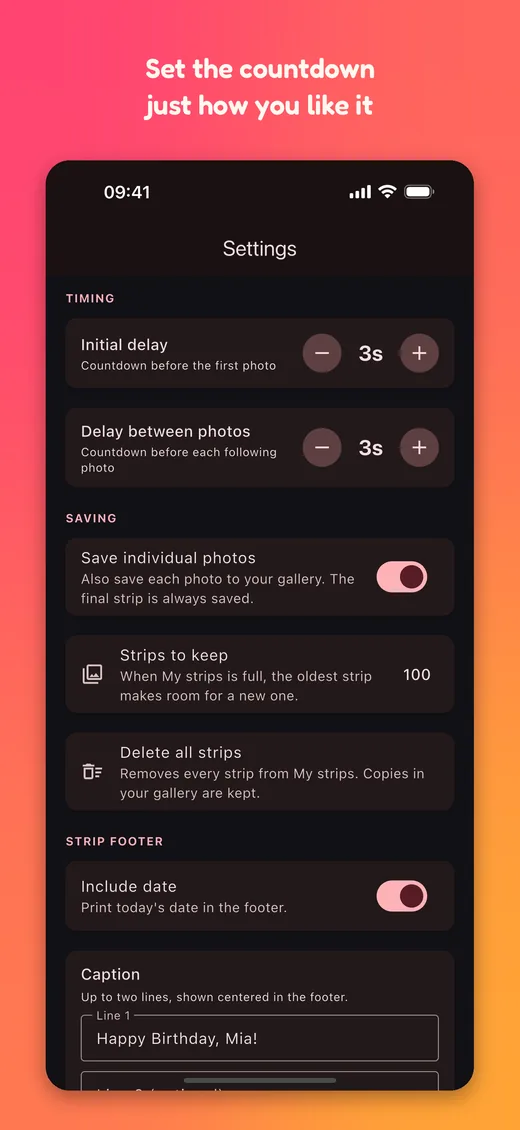
Tap Start. A friendly countdown snaps three photos in a row — set the timing to suit your crowd.
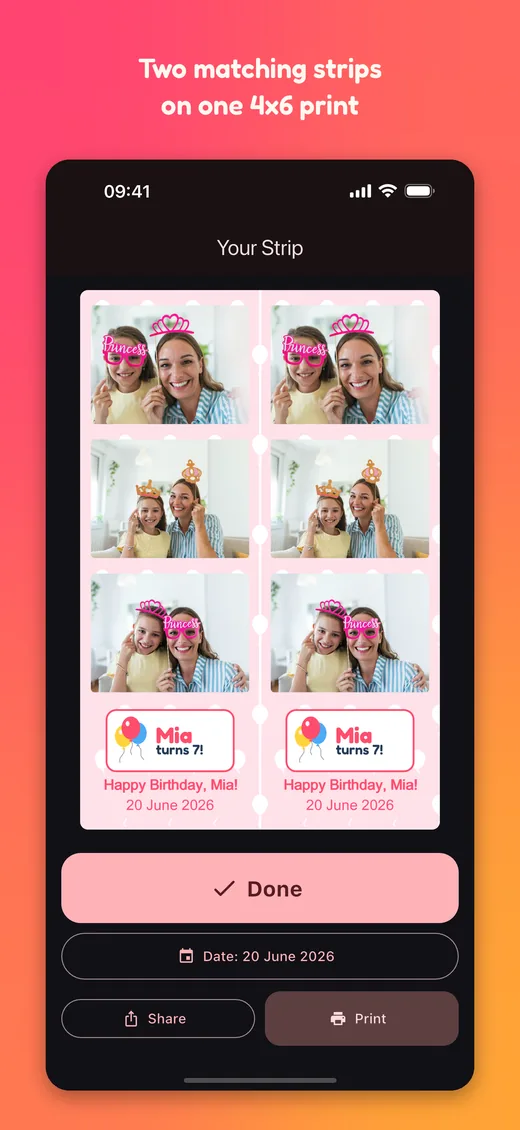
Get two classic strips on a 4×6 print, save to your gallery, or share instantly. Every strip is kept in My strips to reprint later.
Simple on purpose — the fun of a classic photo booth, in your pocket.
Three landscape shots composed into two identical strips on every 4×6 print — cut and share.
Simple enough for guests to run themselves — a fun favour station at any kids' birthday party, no assembly required.
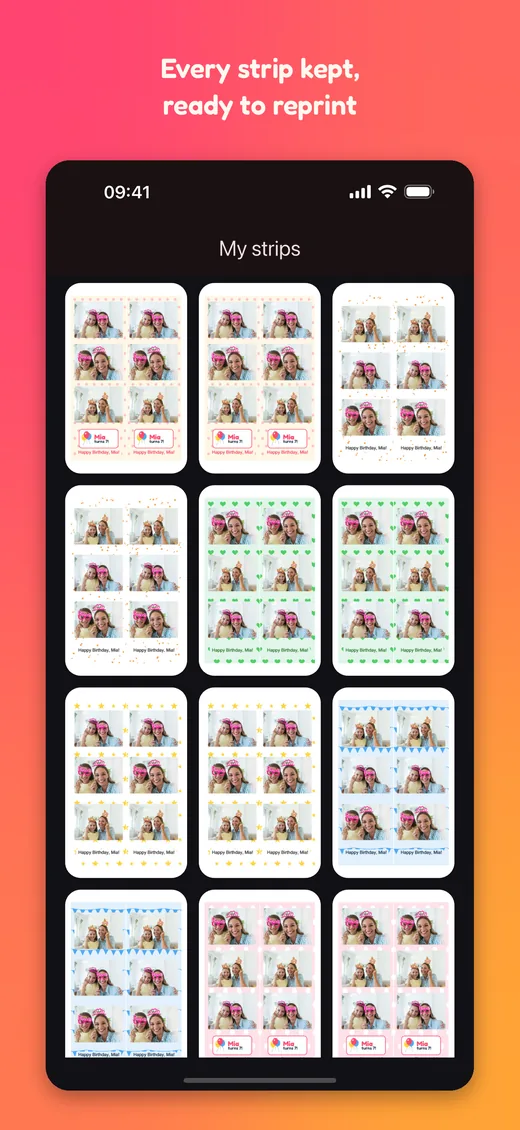
Every strip you make is kept in the app, ready to reprint or share again whenever you like.
Missed the moment? Mix your favourite shots from earlier sessions, or pick three from your gallery — you can even set the date.
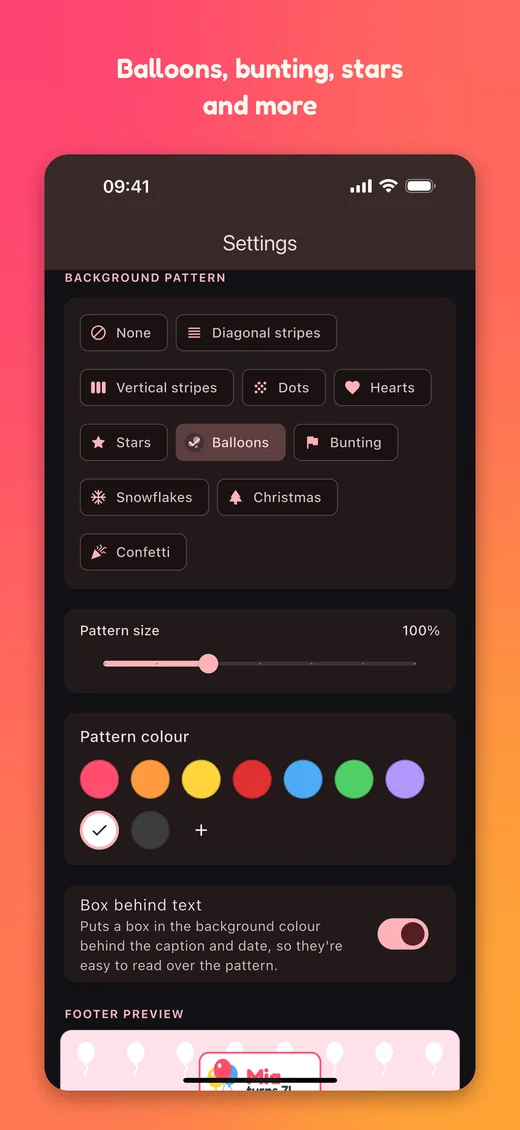
Caption, logo, date, colours and fun patterns — balloons, bunting, stars, Christmas trees and more — make every strip your own.
Everything runs on your device, so a dropped connection never stops the party.
Every strip is saved to your gallery, along with each individual photo. You can turn the photos off in Settings.
English, Dutch, Spanish, French, German, Italian and Portuguese — follows your phone, or pick one in Settings.
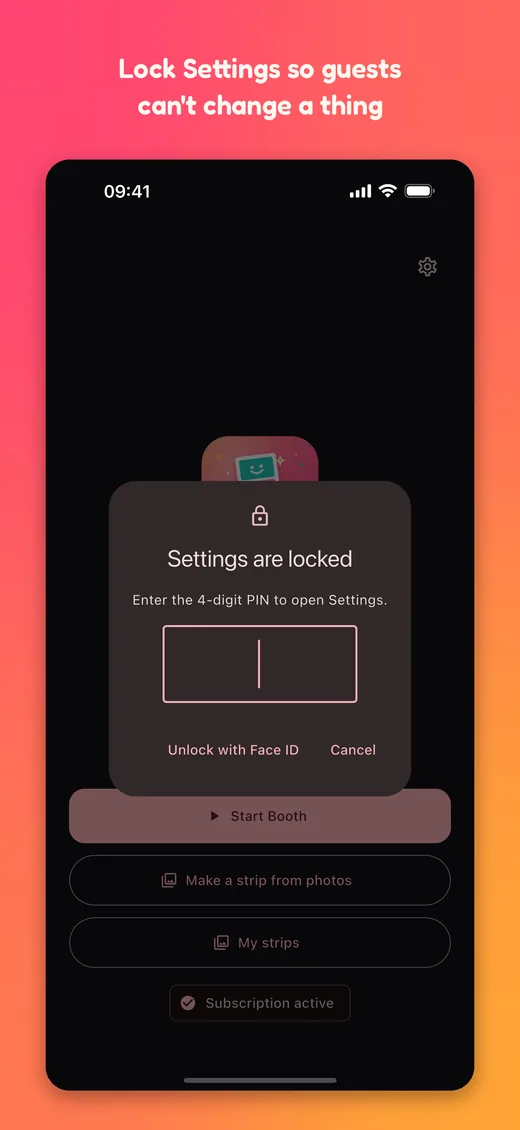
Lock Settings with a PIN so guests can't change your setup. Forgot it? Unlock with Face ID or your phone's passcode.
The booth opens on the front camera so guests can pose, with pinch-to-zoom that's remembered for next time.
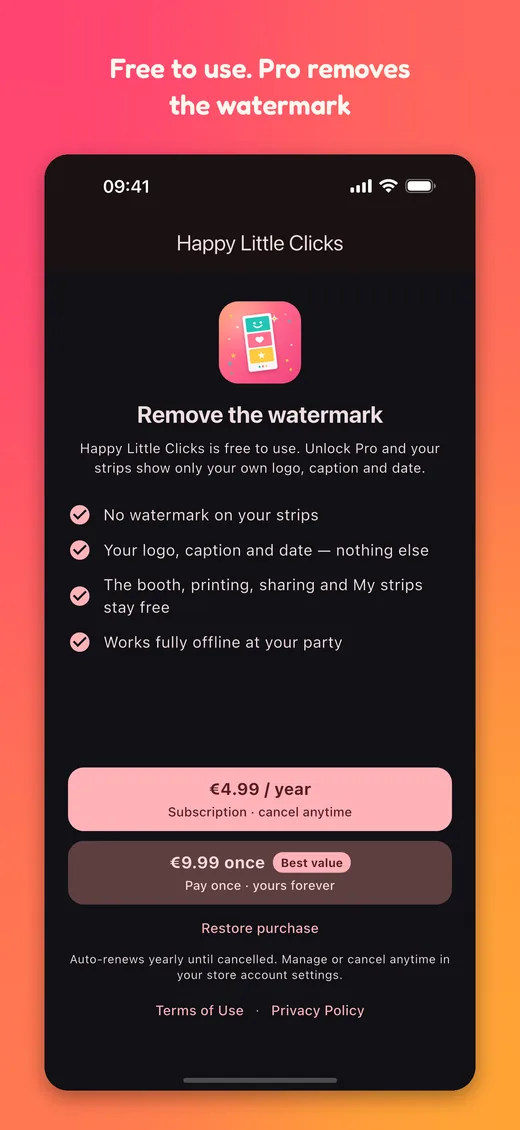
Everything works for free. Unlock Pro to remove the watermark from your strips.
Held vertically with a wide capture window — great on phones and tablets.
Everything a parent needs to know before the party.
No. Once you've set it up, Happy Little Clicks works fully offline — taking photos, making the strip, saving and printing all happen on your device. A dropped connection won't stop the fun.
Tap Print and choose any AirPrint or Android-compatible printer. Each 4×6 print contains two identical strips — just cut down the middle for two keepsakes.
Yes. On the home screen, tap “Make a strip from photos”. Pick three from the photos kept in My strips — mixing favourite shots from different sessions — or tap “From gallery” to use any photos on your phone. You can set the date on the strip too, handy if you put it together the day after the party.
Yes. Every strip you make is kept in My strips on the home screen — tap one to view, print or share it again, or long-press to delete it. In Settings you choose how many to keep (10, 50, 100, 500 or no limit; 100 to start), or delete them all. The oldest makes room when the limit is reached.
Not if you lock them. In Settings, turn on “Lock Settings with a PIN” and choose a 4-digit PIN — from then on the Settings button asks for it. Forgot it? Unlock with Face ID, Touch ID or your phone's own passcode (or, on a phone without a passcode, with the recovery email you set).
Happy Little Clicks is available in English (UK & US), Dutch, Spanish, French, German, Italian and Portuguese (Brazil & Portugal). Dates match your region too — UK English shows “29 June 2026”, US English “June 29, 2026”. It automatically follows your phone's language, and you can pick a different one any time in the app's Settings under Language.
Yes. In Settings you can add a two-line caption, upload a logo, turn on the date, choose your own background and text colours (including a custom colour picker), and add a background pattern — balloons, bunting, stars, hearts, confetti, snowflakes, Christmas trees and more. “Box behind text” keeps your caption easy to read over a busy pattern, and a live preview shows the result.
Completely. Everything stays on your device — in your own photo library and in the app's My strips. We don't upload, collect, sell or share your photos, and there are no ads or trackers.
iPhone, iPad and Android, held vertically. The booth opens on the front camera so everyone can see themselves, and you can switch to the rear camera at any time. Pinch to zoom; the app remembers your zoom for next time.
The finished strip is saved to your gallery automatically. Each individual photo is saved too (you can turn that off in Settings), and you can share strips straight from the app.
Nothing to start. Happy Little Clicks is free to use, with no ads — free strips carry a “Happy Little Clicks” watermark across the strip so you can try everything. Unlock Pro to remove it: €4.99 / year, or €9.99 once and it's yours forever (or your local equivalent). Local pricing is always shown before you buy.
Manage or cancel the yearly subscription any time in your App Store or Google Play account settings — it simply stops renewing. The one-off purchase never renews, so there's nothing to cancel.
Every feature is free, with no ads. Free strips carry a “Happy Little Clicks” watermark across the strip — unlock Pro and your strips show only your own logo, caption and date.
or €9.99 once — yours forever
Local pricing shown at checkout may vary by country.
Happy Little Clicks is part of The Happy Little Family — a growing collection of calm, private, ad-free apps made by a small family-run business in the Netherlands.